

Are you struggling with a Google crawl error? It’s essential to fix your indexing now to ensure your website is properly recognized by search engines.
Introduction
Hey there, are you ready to take control of your online presence and boost your SEO efforts? If you want your website to rank high on Google and drive more traffic, then fixing crawl errors is a crucial step you don’t want to skip. Google crawl errors can sneakily hinder your pages from getting indexed, leading to a drop in your website’s visibility. But don’t worry, I’ve got your back! In this article, I’ll guide you on how to identify, resolve, and prevent crawl errors to ensure your pages are properly indexed by Google. So, grab a cup of coffee, sit back, and let’s dive into the world of fixing crawl errors together!
Understanding Crawl Errors
First things first – let’s understand what crawl errors are and why they are a big deal for your website. Crawl errors occur when search engine bots have trouble accessing and indexing your web pages, which can negatively impact your rankings. Many individuals are unaware that crawl errors are silently lurking in their website’s back end, sabotaging their SEO efforts. But fear not! With the right knowledge and tools, you can detect and fix these errors to prevent any detrimental effects on your online presence.
Types of Crawl Errors
- Soft 404 Errors – These errors occur when a page returns a 200 OK status code but displays a generic error page to users.
- Server Errors (5XX) – These errors signal that there’s a problem on the server-side, preventing the page from loading correctly.
- Redirect Errors – When a redirect isn’t set up correctly, it can result in redirect errors that confuse search engine bots.
- Robots.txt Fetch Errors – Issues with the robots.txt file can block search engines from crawling specific pages on your site.
How to Identify and Resolve Crawl Errors
Step 1: Utilize Google Search Console
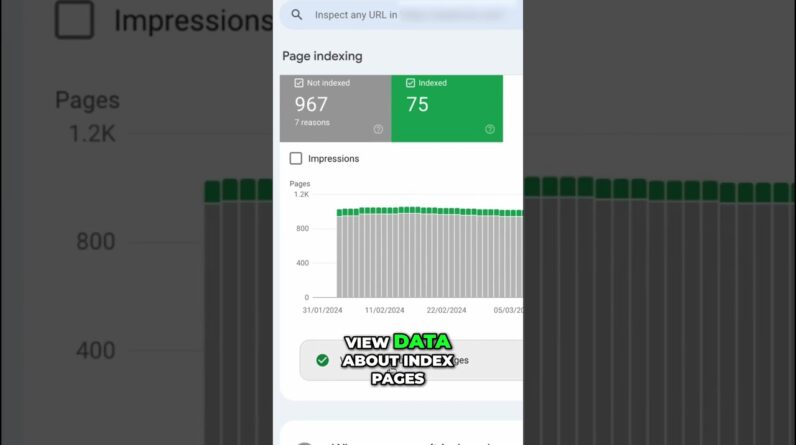
- Log in to your Google Search Console account and navigate to the ‘Coverage’ report.
- Check for any crawl errors listed, such as pages not found or blocked resources.
- Click on each error to get more details and insights on how to fix them.
Step 2: Fixing Soft 404 Errors
- Review your website’s content and ensure that all pages deliver relevant information to users.
- Update any links pointing to non-existent pages or broken URLs.
- Implement custom 404 error pages to provide a better user experience.
Step 3: Resolving Server Errors
- Contact your web hosting provider to investigate and fix any server-related issues.
- Monitor your server’s performance and ensure it can handle the incoming traffic without interruptions.
Conclusion
By now, you should have a solid understanding of the importance of addressing crawl errors and how to tackle them effectively. Remember, fixing crawl errors is not just about appeasing search engines; it’s about enhancing the user experience and ensuring your website’s visibility online. So, take action today, educate yourself on the ins and outs of crawl errors, and watch your SEO efforts soar to new heights!
FAQs
- Why are crawl errors detrimental to my website’s SEO?
- Can crawl errors be fixed without technical expertise?
- How often should I check for crawl errors on my website?
- What are some common tools to identify and resolve crawl errors?
- Is it possible to recover lost rankings due to crawl errors?